G Splats and VR
My fluid simulation tests have been generating meshes which are over 600mb per frame, and that’s only a uniform body and skeleton. How am I going to store enough data for a 10 to 15 minute video, let alone get it onto a VR headset?
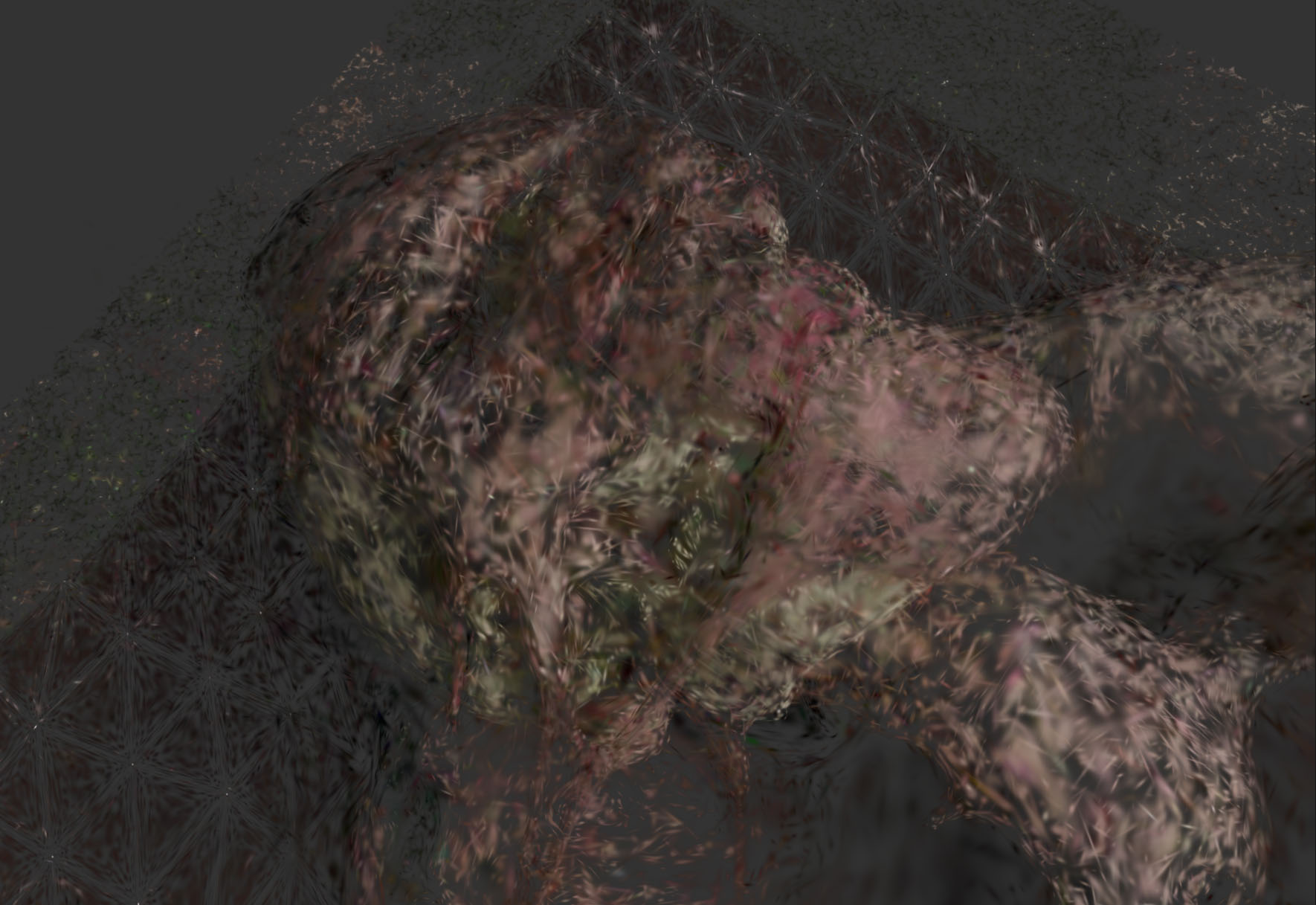
Gaussian splats are a relatively new form of AI based modelling which uses a new primitive (a fuzzy ellipsoid). The AI is given a series of photographs of the scene (or a video) and places (or ‘splats’) ellipsoids, adjusting them using machine learning until they look like the original photographs. The aim is that eventually the splats will be placed so that the original scene can be viewed from any angle inside the scene (more or less near the original view points). GSplats are more of a hybrid model that is more about modelling the appearance of the scene than the surface geometry of an object. This means is it just as good at reproducing non-geometrical objects such as the sky, atmospheric effects like mist and fine detail such as grass or hair. In addition, there is usually less data needed than polygon models and faster viewers.
What 3D Gaussian Splatting is not? (Olli Huttunen 2023) https://www.youtube.com/watch?v=0STU2vWl8tM
Rendering
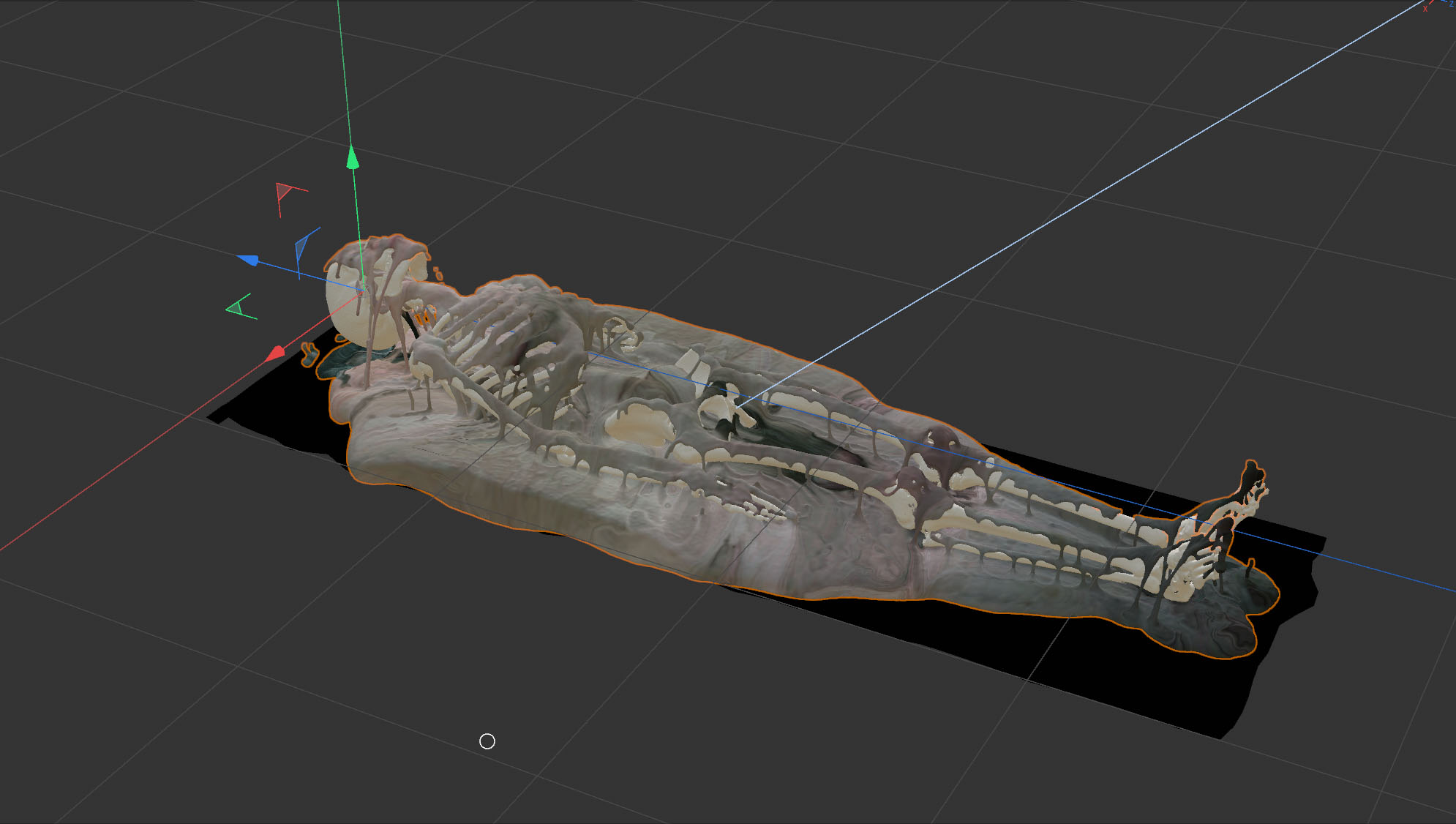
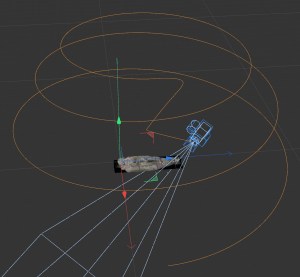
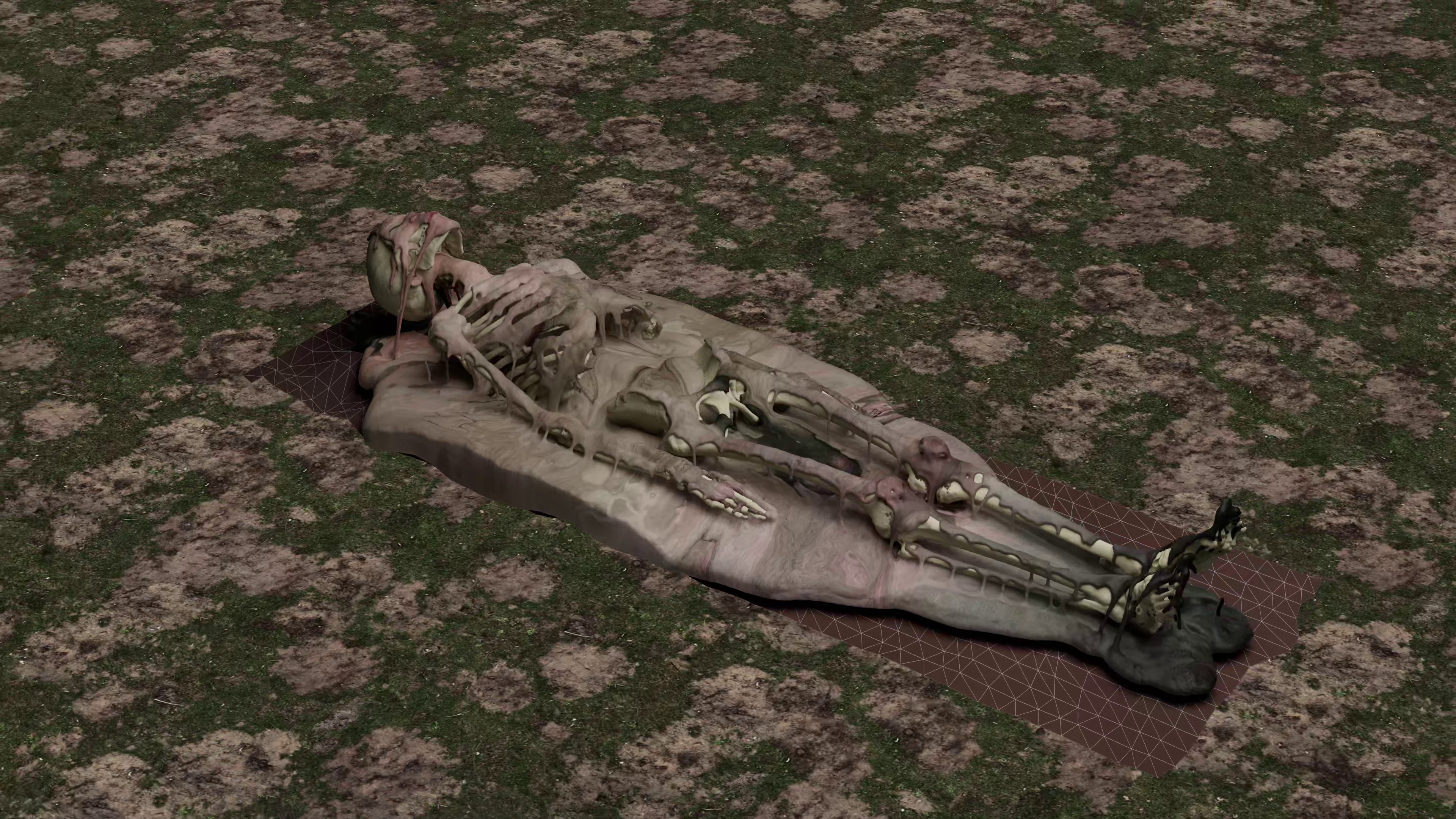
Gaussian splat models can be made from synthetic scenes as well as from photographs of actual scenes. All you need is to render the scene from many angles. Usually the camera moves through a series of orbits around the scene, changing in height each time.
For this test, I selected one frame from my animation and rendered it using a spiraling camera ending with a close-up track down the body to capture as much detail as possible. It was rendered in Cinema 4D at 4k, 24fps. The entire sequence was 2,500 frames or 1 min 44s. This took about 12 days to render and weighed 100Mb so a big job just to prepare one frame. The entire video is commonly used for the GSplat training which extracts suitable single images.
Is rendering out images for GSplat training now the bottleneck? It is strange to think that I need to render a 3D CG scene like a series of photographs in order to convert it to another 3D model. That is the thing about GSplats – it creates a 3D appearance but not exactly 3D objects. I am hoping that at some point someone will develop an AI that trains splats directly from the 3D model.
GSplat Training
Comparing Teleport and Postshot training software
Teleport
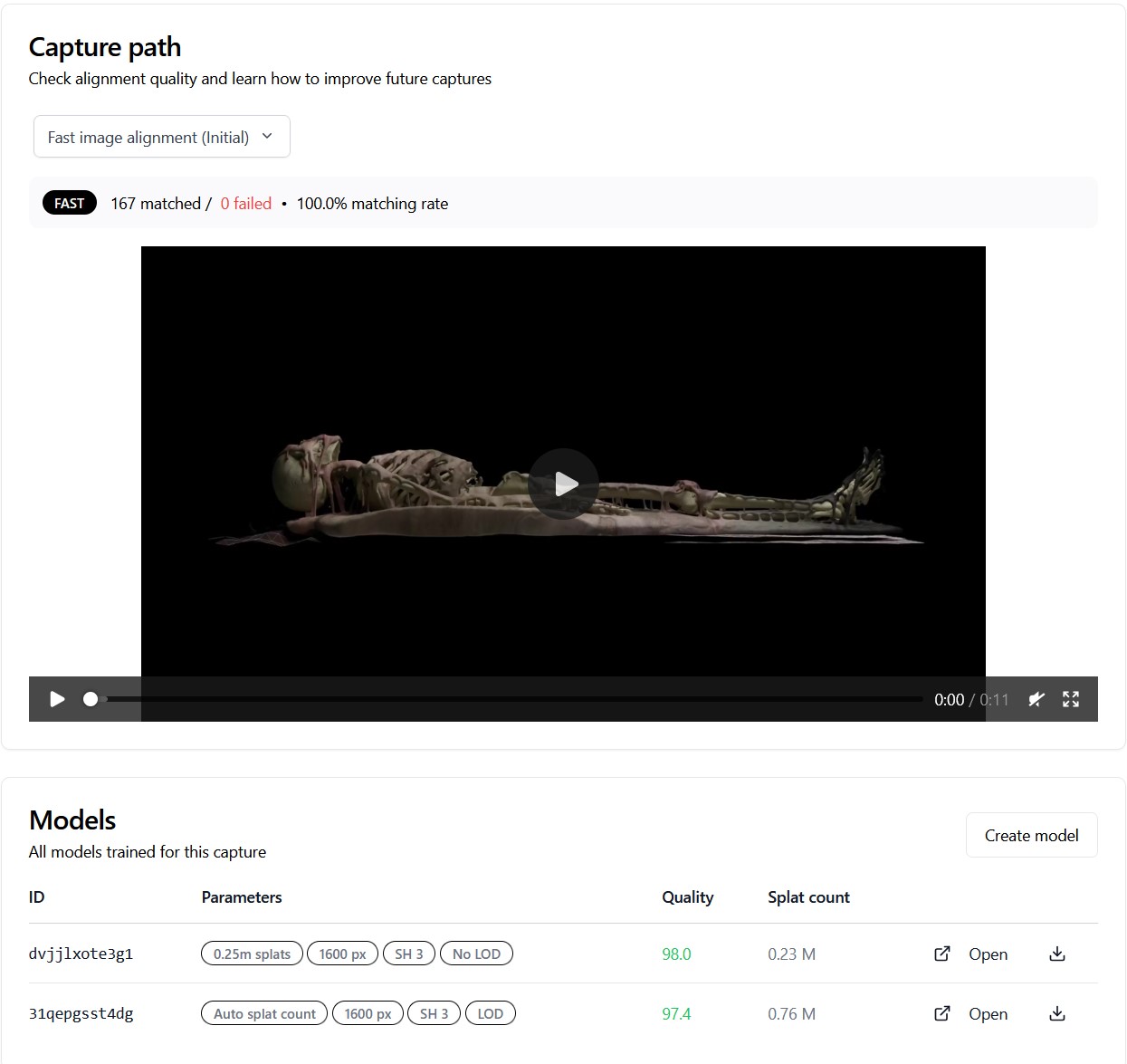
Teleport is an online service for creating GSplat models for VR. It is run by Varjo, a Finnish company that have a reputation for the highest quality VR displays. I opened a free account and uploaded my video. The process was very simple – no controls or editing so I could not control the quality. (Do paid subscriptions allow more control?)
My first video was rendered against a black background. This background created black floaters when I viewed it. GS does not appear to be good with empty backgrounds, perhaps because it cannot place them in space and does not know where they are. Teleport reported that my GSplat model was 33Mb and 758k splats which was surprisingly small. The image quality was much softer than the original images but would this be enough?
Postshot
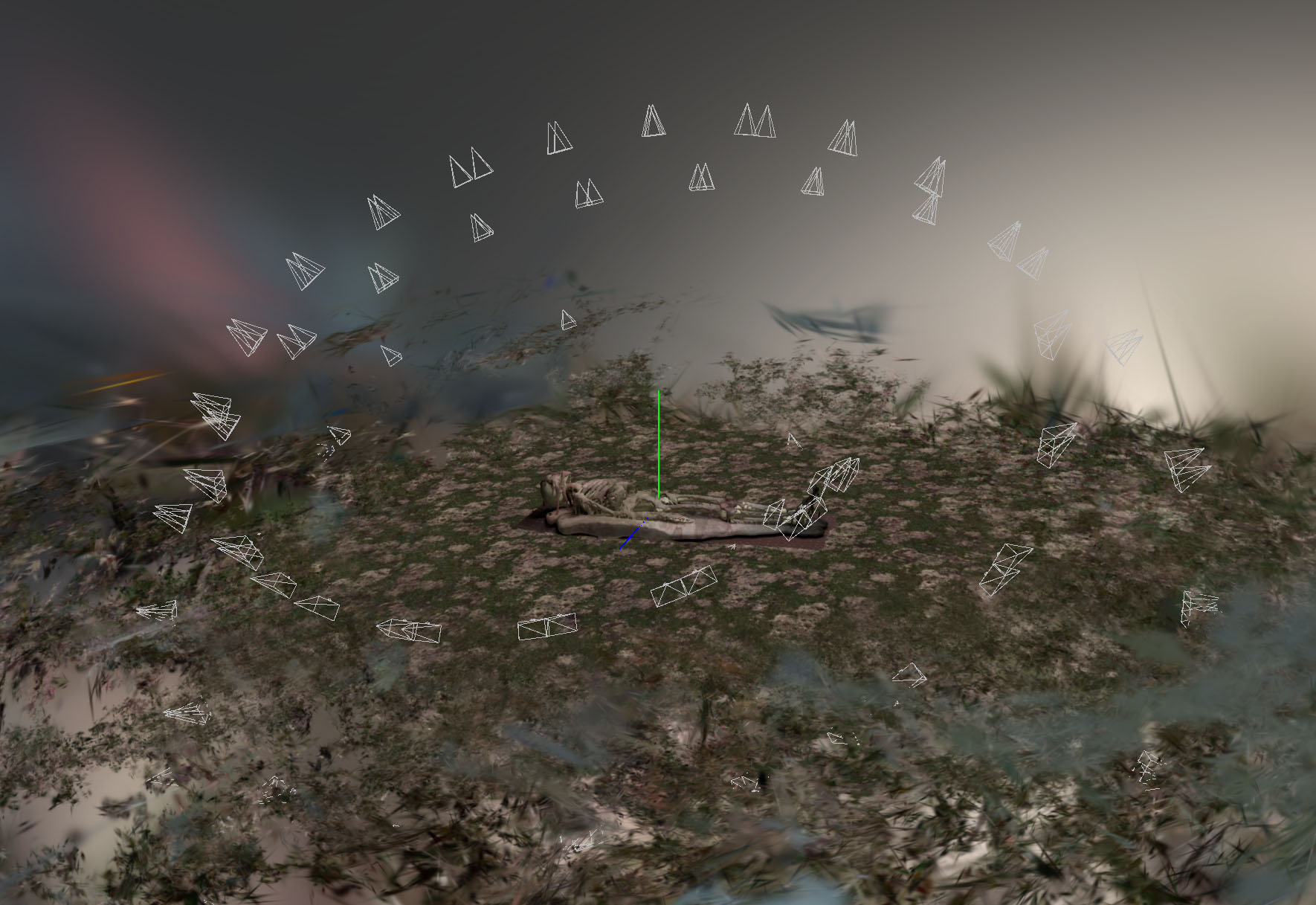
Postshot is a popular piece of software that includes a free version. It has lots of features and controls which allow you to experiment. My first test was to train it on the video rendered against black. Posthost performed even worse than Teleport with this – it produced a fleshy blob in the middle of a mess of black splats. I composited in a ground and sky background and tried again. The results of this were good, consisting of 548k splats and weighing 126Mb.
NOTE: always render your models against a background.
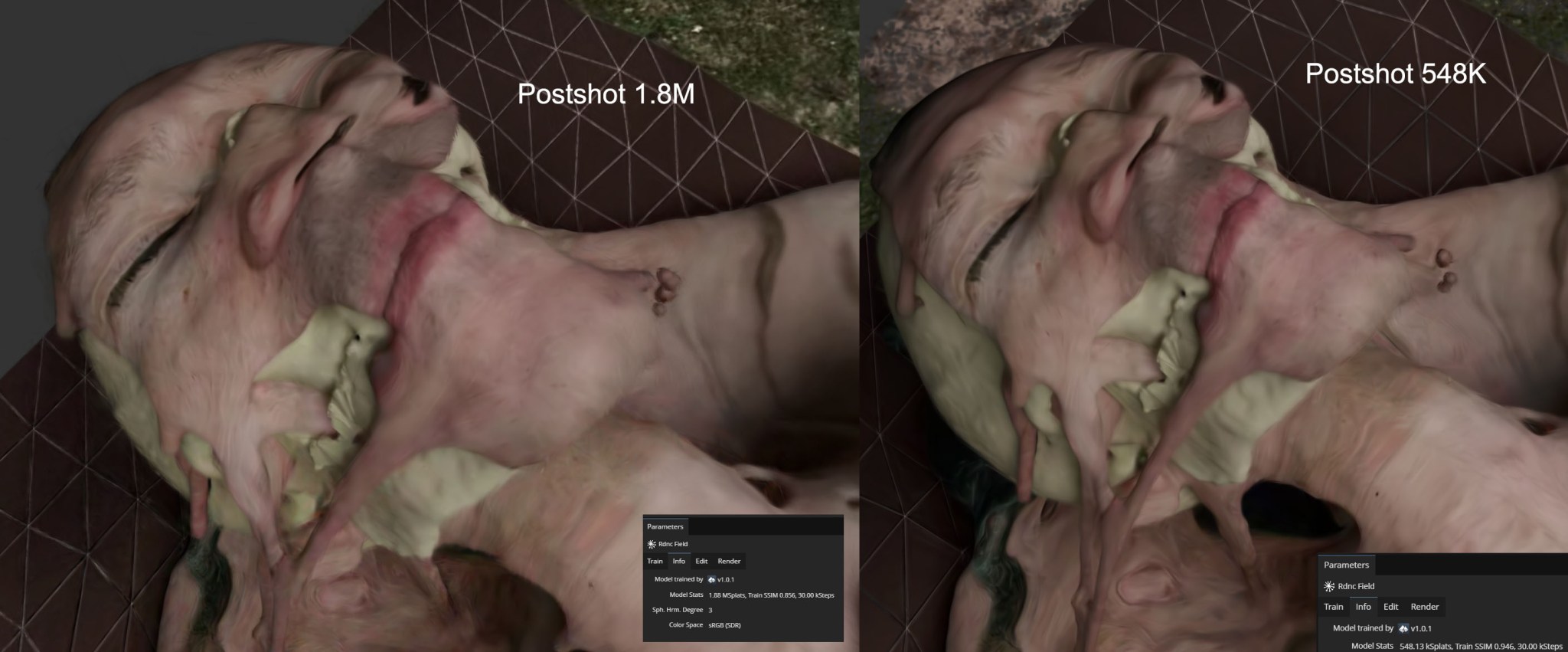
I made a second model using Postshot’s ROI (Region of Interest) feature – this is meant to concentrate the splats in one area and get higher image quality. This model came out much larger at 432Mb and 1.8M splats. It did retain considerably more detail but I am not sure it was worth it for a file nearly 4 times larger
Postshot reported that it had used only 167 out of the 2501 frames in the video I imported. If I had rendered only these it would have potentially cut down the rendering time down from 12 days to 20 hours. How to chose the best views to render? (Teleport recommends 250 to 1000).
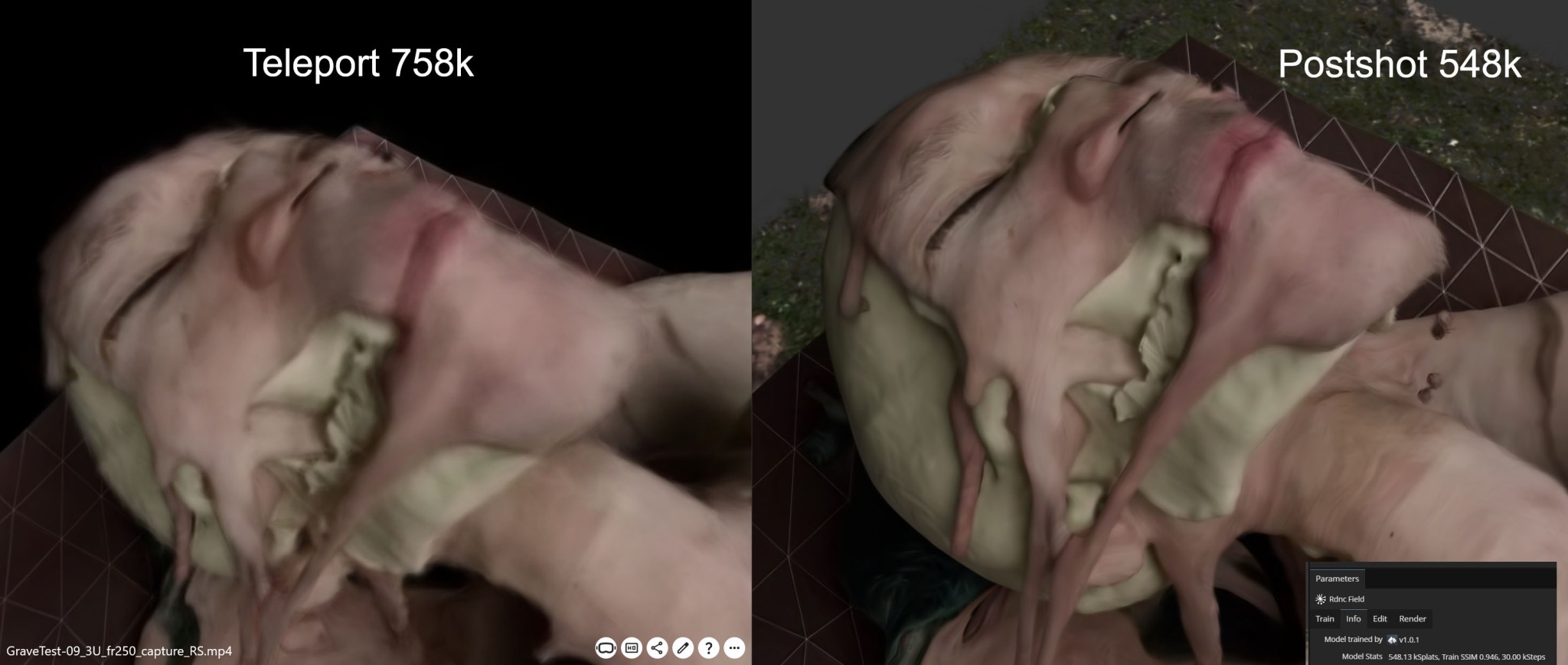
This first Postshot model was 126Mb and 548k splats (after cropping out a lot of background splats). This result appeared to be higher image quality than Teleport although the number of splats was larger (758k) and the file size 4 times smaller (33mb) – why?
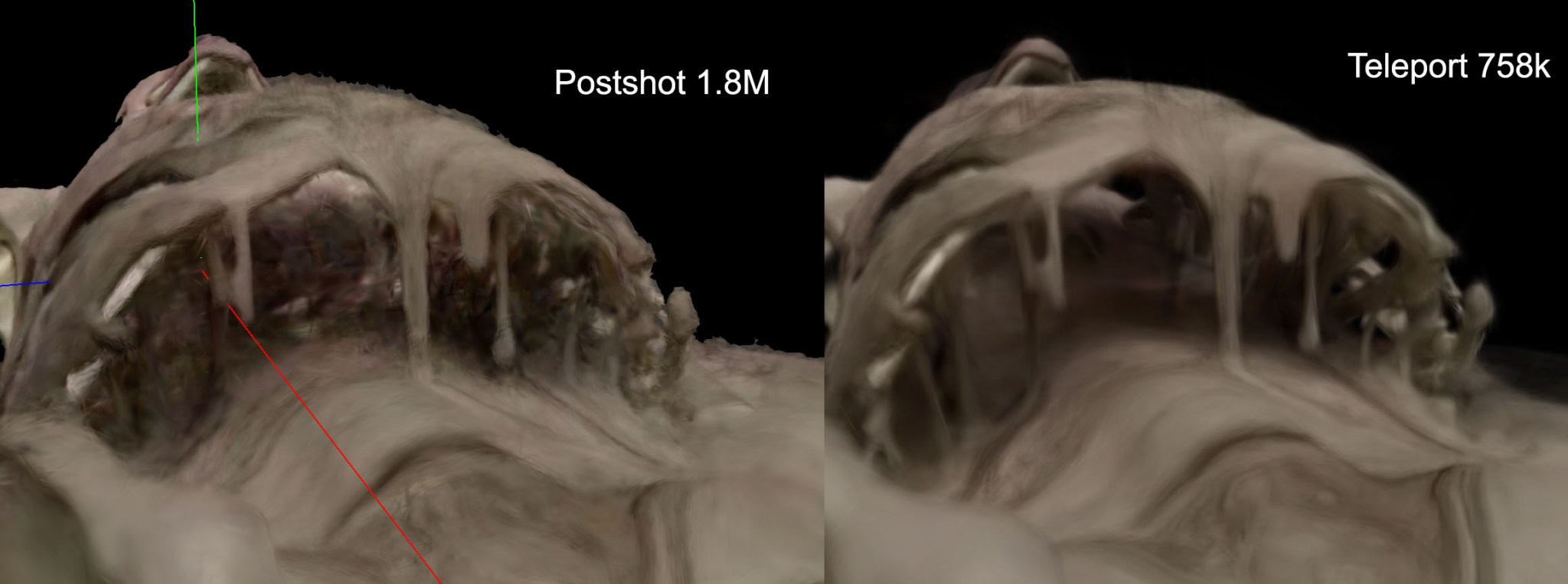
GSplat models sometimes broke down in the less accessible views such as inside the ribcage. Notice that Teleport preserves details under the ribcage much better than Postshot even with far fewer splats. The Postshot model was trained using Splat3 profile. I also tried MCMC but there was no perceptible difference. Teleport uses MCMC so I wonder what accounted for the differences in modelling? But due to the shape of the splats – like little brush strokes or even cob webs – this often adds to the overall feeling of decay.
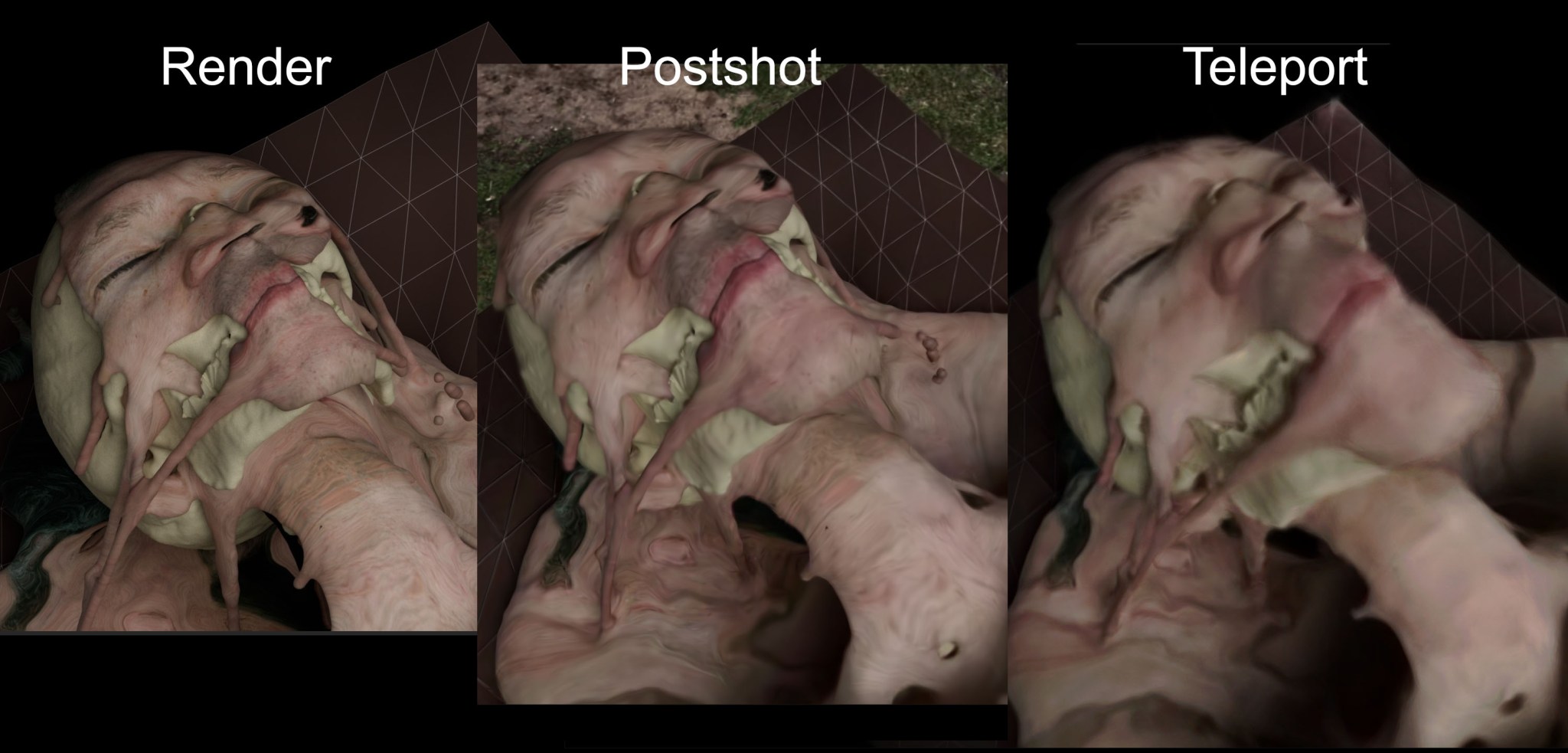
Comparing the original render with the highest quality Postshot and Teleport models.
GSplat VR Viewers
Teleport VR viewer
Loading it onto my Quest was fiddly – I had to install an additional Teleport app on my local PC, install the Meta Link software, connect the USB cable to my Quest 2 and navigate all sorts of connection requests, requiring me to rerun the whole process several times.
This was the first time I had seen one of my models in VR. The quality was soft but not bad. I was surprised how much the loss of detail was compensated by the embodied, 3D perception. Perhaps model and image resolution will not be such a central consideration. The video was recorded on the MetaHorizon iPhone app at 1280×720.
I buy an Indie subscription to Postshot and output my high res 432Mb and 1.8M splats model as a ply file (the most common file format for splats at this time). I upload it to Teleport just before my trial expires. This was converted by Teleport in about 2 hours, reporting a reduction in size to 178Mb. (Was this compressed? The visual quality looked the same).
This VR model was noticeably sharper and more detailed than the Teleport trained model as you’d expect. The interaction was smooth and the quality as impressive as the web site display. However, the display of this ply model was buggy – scattering multiple fragments in the background. It is not clear why but I am starting to experience similar problems with larger GSplats models in general.
Supersplat VR viewer
Superplat is a free online GS editor by Polycam which has become very popular. It also has a VR viewer which is entirely web based. I created a free user account, uploaded the 528k, 126Mb Postshot model as a ply file and Published it. This produced a URL which I could type into the Quest 2 browser while in VR. (I had to log into my Supersplat account in order to see the VR button).
The image quality was about the same as the lower quality Teleport model in the Teleport viewer. There was some juddering when I turned my head or moved around. The frame rate could not quite keep up over the wifi but it was bearable. The big advantage was the simplicity – it is available any time through the Quest browser and untethered!
Next I uploaded the 1.8M, 432Mb model and Published it. This was been manipulable on the Supersplat web site but viewing it on VR had far too much lag for it to be practical. When I did manage to get close to the body the quality was as impressive as on the Teleport display. I was not able to record anything because as soon as I tried to the display failed completely. Could full fibre broadband based wifi display the 432Mb model (which could be over 10 times faster than my 32mbps wifi)?
Supersplat is also pioneering a new non-lossy compressed format for Gaussians called SOG (Spatially Organised Gaussians). The degree of compression is quite unbelievable with no perceptible loss of quality. It compressed my model down to 10Mb – less than 10%. So that is from a mesh file at 600Mb to Postshot GSplat at 126MB to 10Mb – this is how fast the technology is moving.
These are my Supersplat uploads (I have noticed that they have become very flaky on Firefox):
528k, 126Mb model: https://superspl.at/view?id=0b50c8bf
1.8M, 432Mb model: https://superspl.at/view?id=85f05201
Data Storage comparisons
Test frame 250 (only the fluid sim body and skeleton meshes).
Body mesh=10M polys, skeleton=8.5M polys, total=18.5M polygons.
Cinema 4D file = 876Mb. Exported as USD file = 360Mb (loses animation and materials information).
| Polygon mesh | Teleport GSplat | Postshot GSplat | Supersplat SOG |
| ~600Mb | 33Mb (758k splats) | 126Mb (548k splats) | 10Mb |
| Postshot ROI GSplat | |||
| 432Mb (1.8M splats) | 30Mb |

